
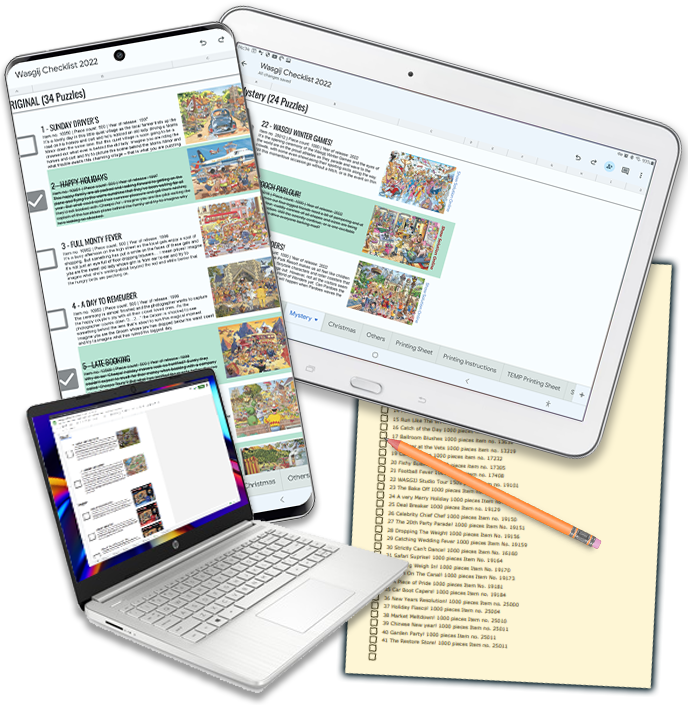
Thank you for your purchase, as Google sheets files are virtual, the best way for you to get the latest version of the spreadsheet file into your own Google Drive / Sheets account is to make a copy of the master file, clicking the Download image link below will do this, Please Read the instructions below depending on you device, before downloading.
Click The link Below

You will also receive an email confirming order with download links (check Spam Folder if not in your inbox) You can use these links at anytime in the future, so make sure you keep the email, though if you have any problems just email me and I can send link again (maybe up to 3 days before you get reply depending on my health)
Computer – Windows / Mac / Linux
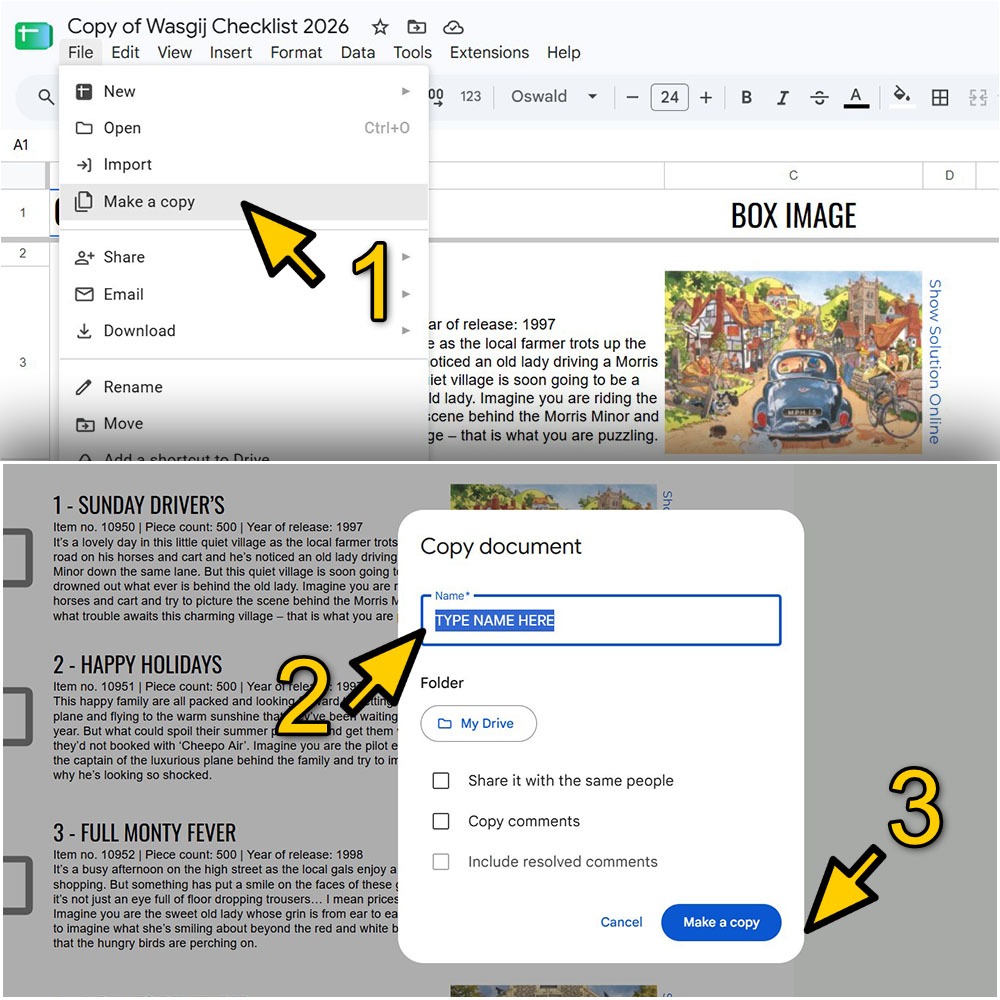
Once you have clicked the download button, a new tab in your browser will open and you will see a screen like below:

Just click the blue box saying “Make a Copy” Give it a few seconds and the Checklist will open up (this now has saved in your own google drive / sheets account), and your ready to go. I though would recommend you make your own backup copy of the file yourself, just click on the file menu as sown below and then select make a copy (1), a windows pops up (2) under name type what ever you want or leave the default name.
Phone / Tablet – Android, iOS (Google sheets app Installed)
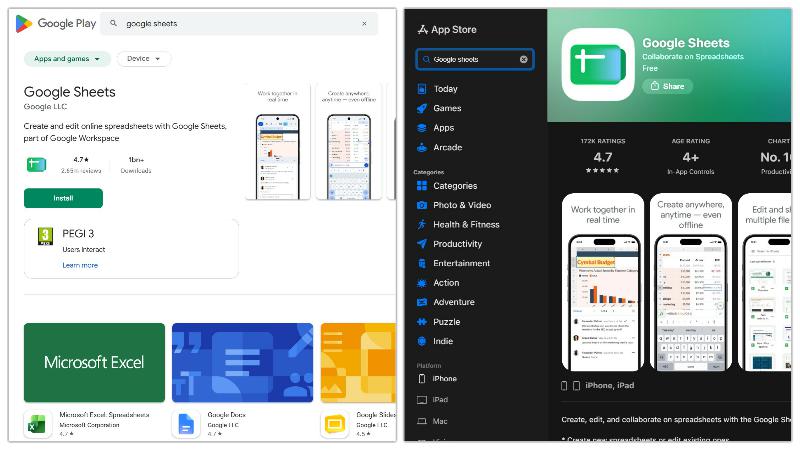
It is recommended that you install the Google sheets app, open up the play store (Android) or App Store (Ios) search for “Google Sheets” then install the app, if you haven’t already the app installed.
Tap the download link above ,
Phone / Tablet – Android, Ios (Google sheets app Installed)
If you want to install the google sheets app you can still use on your mobile device it will just work within your default web browser i.e. chrome, safari, Firefox etc just follow the instructions above for computer
You may find when you get the link to the file on mobile devices if you already have the Google sheets app installed the link may not work correctly. This is due to Google changing sharing permissions, so follow the work around below.
If the file opens up in Google sheets but is read only or restricted, make a copy following the instructions below.
Alternatively uninstall the Google sheets app (this will not delete any of your other files) then use your link. Now the link will open up in your web browser, you will see the screen shot below, click make a copy. You can then reinstall Google sheets app & the file will be listed.
If you have any problems please see our FAQ section by clicking HERE or for more instructions watch my video below, also make sure you give the video a LIKE and SUBSCRIBE to my channel which is about going out for photography trips in my little camper.
…………………………………………………………………………………………………………
PDF PRINTING SHEET LINK BELOW
dfhdfh